-
Manufacturers: You Can Drive A 76% Efficiency Boost With An Epicor Mobile ERP App

Great things happen when you take a single Epicor ERP transaction mobile
To say the current environment is uncertain for manufacturers—understatement of the day! Although we all hope the worst is behind us, manufacturing remains under intense pressure from cost volatility, policy shifts and, you know, that pandemic that’s still out there.
This makes shop floor efficiency more important than ever. Any time (and money!) you can save on a process helps boost productivity, profit and budget flexibility.
To spur such positive impacts, Deloitte sees manufacturers building their “digital muscle.” But small and mid-sized companies often find it difficult to dig up the dollars to invest in technology projects.
Don’t despair—we’re finally getting to the good news. Manufacturing operations already invested in an Epicor ERP system have a real opportunity to realize significantly greater efficiency with a very low up-front spend. All it takes is a mobile ERP app.
Epicor vs. Mobile App: A Head-to-Head Test

If you’ve checked out Bezlio before, you probably know that we recommend implementing our Epicor mobile ERP apps—we call them bezls—one at a time. Not all clients need to take it so slow, but it’s a low-risk approach that results in big rewards.
But we wanted to know, exactly how big are the gains from a single bezl? Being of the analytical mindset, we decided to do a test:
-
We chose one common manufacturing ERP transaction; in this case, entering purchase order receipts.
-
A proficient Epicor manufacturing user was timed processing purchase orders in the Epicor interface.
-
The same user, also proficient with Bezlio, was timed entering the transactions using a smartphone.
THE ERP MOBILE APP WINS: 76% TIME-SAVINGS
I admit, even this technology evangelist was surprised by the added shop floor efficiency with Bezlio:
-
The purchase order receipt function in Epicor ERP took a total of 111.4 seconds.
-
That transaction in Bezlio took just 26.8 seconds.
-
Do the math and you see a difference of 84.6 seconds—or a 76% time-savings for every purchase order receipt the company handles.
Nearly a minute and a half may not sound like much on the surface, but manufacturers recognize how much impact such small process improvements can have at scale.
Consider that we at Bezlio routinely see clients processing 75 or more purchase order receipts each day. These customers are shaving almost two hours (1.76 hours for 75 transactions) off their daily labor. That’s approaching one-quarter of a staff position!
WHAT IT COSTS TO GET THERE
You may be excited about the potential efficiencies with Bezlio but still concerned with the cost and commitment involved.
Don’t be. Bezlio pays for itself (and then some), even in the first year.
Talking turkey (appropriate here in November), the price for an annual Bezlio account for up to 10 users is $4,200. This includes the first bezl of your choice.

How much do you pay just one employee in receiving? If it’s more than about $17,000 (and I’m sure it is), the 76% efficiency boost delivers more in labor savings than Bezlio costs.
Of course, many Bezlio customers do choose to customize their bezls to match their internal processes. The average investment among our clients is 20 hours, or $3,500. This is a one-time cost, after which the customized mobile ERP is available with the regular subscription. Even if you go this route (again, optional), you’re probably still in the black with just one bezl used by one employee in year one (a high bar), with additional gains on the way.
And what about implementation? Well, that takes about two hours. It’s not going to tie up key members of your organization or drag out for weeks. Bezlio really is a turnkey savings option.
MORE THAN 1 MANUFACTURING EMPLOYEE
I hope I’ve got your brain buzzing with questions already—because yeah, you’ve got more than one employee. And you have other types of ERP transactions burning time every week.
What if you took advantage of all 10 of the Bezlio users that come with the base subscription? How would that increase the ROI?
What if you moved labor entry, location transfers, finished goods receipts and other transactions to the Bezlio platform? How much more shop floor efficiency improvement would you enjoy?
And how could you use the new information you’re capturing in Epicor to identify and eradicate more waste, streamline more processes and make other changes that positively affect your bottom line?
These are all good questions deserving full exploration—and that’s exactly what they’ll receive in our upcoming webinar, Unleashing Your ERP: How a Mobile App Digitally Transforms Your Business, on Wednesday, November 11th at 1 PM EST.
We expect to spend about an hour discussing Epicor mobile apps for manufacturing and the positive impacts actual clients have experienced. I’d say that’s a small time investment to discover a solution that could drive substantial efficiency gains now, when you need them most.
The best part, by participating, you’ll have the opportunity to ask questions specific to your operations. Why not get insights from experts who have worked with literally thousands of manufacturers over more than a decade? Even one tip could prove invaluable.
So don’t miss out. Register now.
-
-
Your Epicor Mobile ERP App Comparison Guide

What to look for when taking Epicor ERP mobile—and one place to find it all
Have you confronted the inefficiencies of the standard manufacturing ERP software? Have you decided to go mobile with your ERP so sales, field service and shop floor employees can access, update and enter the data they need from anywhere?
Great! You’re on the right road to greater efficiency and productivity already. Now it’s just a matter of finding a best-fit Epicor manufacturing ERP mobile app platform to meet all of your needs. And fortunately, on that, we have some advice.
What to Look for When Taking Epicor Mobile

As a team who’s spent our careers in the business of applying technology to manufacturing, we’ve steadily developed a list of essentials we suggest seeking in any ERP mobile application. You’re welcome to use this cheat sheet to get you started.
SECURITY
First up, security. Your ERP contains sensitive information and putting it on the internet is never a good idea. Definitely rule out any apps for manufacturing that don’t use a secure interface to keep your ERP locked down but allow for data entry, updating and search. It’s not even worth considering such a risky option.
COMPREHENSIVE DEVICE COMPATIBILITY / BYOD-FRIENDLY
You’ll want to make sure that any mobile ERP apps work natively on every type of device. If some employees prefer Android and others have Apple smartphones, you want the solution to work on both. Same thing goes for tablets. And don’t forget about wearables! These are becoming more important in manufacturing, so make sure the platform you select is flexible enough to leverage smartwatches and other emerging technologies as they become available.
It’s also not a bad idea to keep that retro PC or Apple workstation involved, too, with a web-based interface.
EXTENSIVE FUNCTIONALITY
There are app developers who have focused on only a sliver of the ERP space. They may have only a warehouse app or a timekeeping tool. Many of these are pretty good, but the problem is, where do you go from there? If you’re seeking to maximize efficiency and productivity with mobile technology, you’ll want more options to meet the needs of employees throughout the company.

BROAD INTEGRATION
Depending on your technology ecosystem, it can be helpful to seek out Epicor ERP mobile apps with additional integrations. For example, you may want the platform to be able to pull in data from CRMs like Salesforce or work seamlessly with the eCommerce platforms you already use.
CUSTOMIZABLE TO YOUR PROCESSES
Technology shouldn’t dictate your operations. Any mobile solution should meld seamlessly with the way you do business today, rather than demanding that you overhaul to fit the developers’ preconceptions. That way, employees don’t have to relearn functions they already perform quickly and flawlessly—they just add technology to make them even more efficient.
BUILT-IN MAINTENANCE, SUPPORT AND ADVICE
I would caution against any Epicor mobile app that doesn’t include maintenance and support clearly in the price tag. You don’t want to buy in and then find out there are unexpected costs, as frequently happens with custom development, for example. Bonus points if the provider you select is intimately familiar with manufacturing and can really guide you through adapting the solution to your operations for maximum impact.
INTUITIVE
When evaluating product demos, do so from the perspective of the users you are targeting. Some of them will not have had reason to interact with the ERP in any fashion and you don’t want to set yourself up for a huge training hurdle or even failure to adopt.
The simpler and more focused an app can be on the particular functions needed to perform a job or task, the quicker it is to learn and use effectively. A great UI design that’s easy to read and navigate can’t hurt, either.
GRANULARLY MODULAR

Talking about simple, intuitive functionality brings us to the most controversial recommendation on this list. We always suggest modular ERP mobile app platforms, where you can “plug and play” different apps for different needs.
This goes against the instinct to look for an “all in one” Epicor ERP add-on, but here’s why. There’s just too much going on in Epicor to put it easily on a small screen and ensure that the pick-and-pack team in the warehouse and the harried sales rep responding to 100 questions while on a customer site can quickly access what they need. In our experience, having separate apps for specific roles just works better.
Then there’s implementation. With a modular platform, you can deploy one app to digitize one process, get employees comfortable with the change, evaluate and customize further as necessary and only then move on. It’s a less risky and time-consuming approach than rolling out another monolithic ERP solution, only this time a mobile one.
AFFORDABLE
For mid-market manufacturers, cost can be a challenge. Epicor ERP itself was probably a large financial undertaking, and getting more from that investment is essential. But there isn’t always a lot of budget to make it happen.
This is where a proven platform with transparent costs can provide financial confidence. Additional advantage is secured with modular implementation, so you can stage the ERP mobile transition in individually priced pieces, easing into it as budget and ROI allows.
Evaluating the Alternatives
You may have noticed that there is some tension in this list. Epicor ERP mobile apps should be comprehensive, applying to functions across the organization and integrating with CRMs and other key software. Yet they should also be simple, offering intuitive functionality specific to individual roles within the company. The mobile ERP solution should be customizable to your needs and processes but it shouldn’t require a risky and time-consuming ground-up development process to move forward.
For a long time, there wasn’t a solution available that could thread the needle in this way (trust us, as manufacturing consultants, we searched far and wide!)—that’s why our team created one.

Our answer is Bezlio, a highly secure, integrated mobile platform, which connects with Epicor ERP and various CRMs, databases, eCommerce solutions, accounting software and more.
This unified platform then supports individual applets we call bezls. We’ve developed a library of stand-alone Epicor mobile apps for manufacturing for such functions as purchase order receipt entry (with barcode scanning!), materials transfers and production labor tracking, to name a few.
These bezls are the starting place for a Bezlio-Epicor manufacturing implementation, but they don’t have to be the end. Any bezl can be quickly customized and we’re continually developing new bezls for clients. Because these “plug in” to our existing platform, even brand new apps can be created in very short timeframes and without the types of bugs and back-end integration and security problems that are common in custom development.
Through it all, clients still get that consulting feel, because our team happily lends our manufacturing technology expertise whenever it can be helpful in planning how and where to apply mobile ERP apps, analyzing processes to reflect them in an interface and so on. We’re consultants without the fees!
In fact, putting our heads together is the first step in the Bezlio process, which we’ve outlined in our implementation guide. Feel free to download that to find out how you could be well on your way to mobile Epicor ERP in just two hours, or contact us to walk through the options and the process. We’re always glad to chat!
-
ERP Dreams For Inventory Management Come True With Mobile Apps

How to achieve real-time inventory transparency by taking ERP mobile (and how to do it right)
The best laid plans…we all know how it goes.
An ERP solution represents a large investment and aspirations for these systems run high. In exchange, manufacturers, warehouse managers and others enduring complex ERP implementations expect to gain full transparency into their operations, all the way down to what’s in every bin in every warehouse location.
But do ERP solutions naturally result in such accurate, up-to-date inventory information? Based on almost an entire career advising manufacturers about technology, we can confidently say, “No, they don’t.”
Don’t get us wrong, ERP systems certainly facilitate inventory and warehouse management. But it’s difficult to use a monolithic piece of software to tame inventory processes in action. The sheer bulkiness of most ERP systems is a barrier to up-to-the-minute insight.
If you know us at all, you probably know we’re talking about the dang kiosks.

ERP software typically requires a large screen and powerful workstation, and as a matter of basic physics, those don’t travel well on forklifts or in employees’ pockets. As a result, a lot of materials relocation, pick-and-pack and other activity happens without being simultaneously recorded. The relevant data only enters the ERP system later—sometimes not until a quarterly inventory count is completed.
In the meantime, leaders and planners steer the company based on data that could be days, weeks or months out of date. That wasn’t so bad when the pace of business was slower and supply chains less complex. But in today’s environment, lack of real-time inventory information puts companies at a distinct disadvantage. And do we even need to mention the fast-changing situation that is COVID-19?
However, with ERP apps for manufacturing—to integrate with and take Epicor mobile, for example—companies can finally get that clean window into inventories that they’ve been dreaming of.
Benefits of Inventory Visibility Reach Far and Deep
Manufacturers recognize that it’s vital to have an accurate picture of the company’s stocks of materials, parts, components and finished goods and to feed this information into the larger supply chain management function and the rest of business operations. That way:
-
The procurement team can tell what runs out fast and negotiate cheaper, bulk purchasing contracts and avoid those expensive rush order “fire drills.” (Or vice versa, they’ll know what gathers dust, so they can buy smaller quantities and spend less warehousing them.)
-
The production management team can see what’s coming off the line, adjust their forecasts and planning and even hunt down waste to trim costs.
-
The sales team can determine what finished goods are ready to go so they can make the right fulfillment promises to the customers they deal with each day.
You get the idea. These are among the advantages of real-time inventory management but it all starts with the data—and that means with the warehouse and the shipping/receiving docks.
ERP mobile apps link activities in these locations to the central ERP system. Ideally, mobile ERP uses task-specific, secure, barcode scanner-enabled interfaces for smartphones, tablets, or even wearable devices to enable data entry, updates, and search by employees on the go. For example:
-
A Purchase Order Receipt app can empower receiving teams to quickly track arriving materials being sent to inventory.
-
A Location Transfer app can keep up as stock is moved around the warehouse, while an Issue Materials app can find items and log the transfer to production.
-
A Finished Goods Receipt app can then let warehouse personnel know when products are ready to store prior to sale, and additional apps to track shipped orders, returns and other changes can keep those product inventories up to date.
In addition to opening the ERP to a flood of information directly from the warehouse floor, these tools make handers’ jobs much easier. No more conducting materials searches from a kiosk and forgetting the bin number on the way back. No more tracking inventory on paper forms when a quick barcode scan is enough to enter more information than the manual processes ever allowed. And those weeklong physical inventory counts—the ones literally nobody enjoys—can often go away, too.
The end result is a more efficient and productive warehouse, plus better data to drive decisions at all levels of the organization. Hard to beat that!
Best to Keep It Simple (Seriously)

The old K.I.S.S. mantra is a good one for mobile ERP. Jamming full ERP capabilities into a single mobile app just isn’t the best way to go. A forklift operator, for instance, may only need location search and product scan capabilities; extra tabs and buttons for reporting, analytics and other features essential to a production manager will only confuse matters.
At Bezlio, we recommend a modular approach. We build discrete apps designed for specific functions and customize them to align precisely with a company’s existing processes and information needs. This not only makes the resulting ERP mobile apps more job-focused and easier to train employees on, the phased, task-by-task implementation lowers risk and tends to reduce total cost as well.
We’ve put together a step-by-step guide to a modular ERP mobile roll-out. Check out that link to find out how you can digitize your first warehouse management process in about two hours.
If you can dream it, you can improve your ERP flexibility and real-time data availability. That’s worth finding a couple of hours in your schedule for, right?

-
-
Man Your Battle Stations!

How a $7,500 investment in employee workstations can return $89,000 or more in increased productivity
I consider myself something of an efficiency obsessive. In fact, boosting productivity has been the focus of my professional career. Both as a manufacturing consultant and now leading Bezlio, I’ve helped clients replace inefficient processes with more streamlined, technology-supported ones that save time and increase profitability.
I’ll also admit that I get excited about each tech evolution. Bezlio is on the forefront of mobile ERP solutions because we saw the possibilities in smartphones and tablets early on. And we’ve jumped in to take advantage of wearables, too.
But what about that oldie but goodie, the desktop? Some companies—even a few early adopters of mobile ERP apps—still aren’t implementing proven methods for enhancing productivity with employee workstation upgrades. And others haven’t imparted their knowledge to the current environment with COVID-19. So let me evangelize for a moment.
You Can Multiply Productivity with Multiple Monitors
Some people who walk into my office laugh at my “battle station.” They think having three monitors in two different orientations is overkill. It’s a geek thing, right?
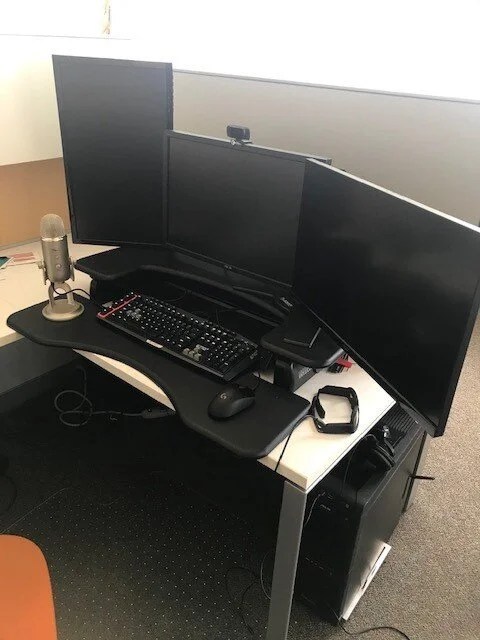
Well, I did engineer this setup to suit my workflow preferences. For example, my left monitor is situated vertically. I leave email and Slack open in this space, so I don’t need to switch applications every time a message notification comes in. I can quickly glance over and determine whether my immediate attention is required or whether I can respond later.
My other two monitors are reserved for the task I’m currently working on—and yes, splitting that work over two horizontal screens offers some real advantages. If I’m compiling business reports, for instance, I might have MS Excel open in one screen and our accounting package in the other. That way, I can transfer numbers without writing the data down or committing it to my sometimes faulty memory. Not only does this improve accuracy, it’s faster as well.
The same pattern holds if I’m writing something (like this blog) or programming a new bezl. I can keep both the source material and my draft—or the code and the API documentation—in sight.
I came up with this configuration through trial and error, but I’ve since discovered that the sense I get of increased productivity is actually spot-on. Let’s consult some of that source material I currently have up on one of my screens:
-
A study by Fujitsu Siemens showed that having three monitors improved productivity by 35.5%. By contrast, a bigger monitor alone only heightened efficiency by 8.4%.
-
Dell also investigated the issue, looking at specific tasks. They found that multiple monitors boosted productivity for text-related work by 44% and spreadsheet work by 29%.
Turns out, I’m about one-third more productive for having three monitors. Pretty cool.
Computing the ROI
The productivity results are impressive, but does it make sense to invest in a similar workstation for every employee with a computer-centric role? What does the cost-benefit look like?
Here’s some back-of-the-napkin math.
COST
There was a time when the price point for monitors would have been a deterrent to providing a full battle station-style setup for most employees, but those costs have plummeted. A decent monitor for business use is now only about $150.
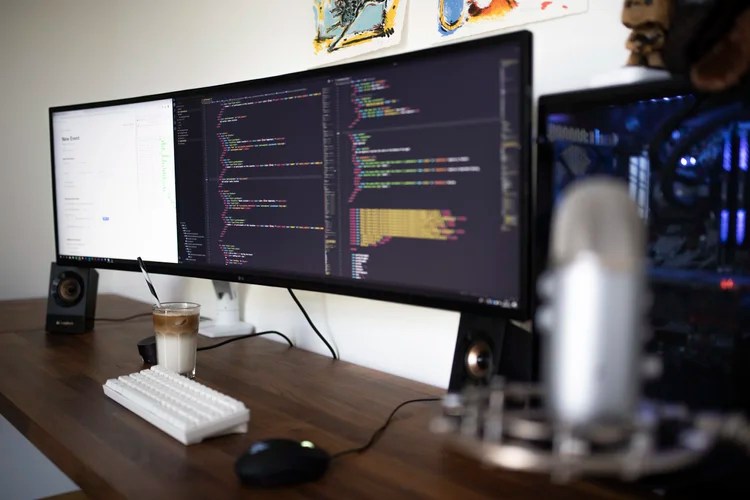
Of course, the default monitor stands aren’t well suited for multi-monitor configurations, but there are affordable alternatives. I like VESA mounts, which allow for a highly flexible desk layout. I use a dual-monitor mount for my horizontal monitors and a single gas-spring motor arm for my left monitor in vertical position. These mounts cost less than $50 apiece.
Another consideration is the video card. You can certainly daisy chain multiple display port monitors together, but a better video card improves performance. That’s another $150.
Thus, calculating the total cost of three monitors, the mounts, and an upgrade to the computer’s video card comes out to about $750.
BENEFIT
Now let’s consider what we get in return. Say an office worker spends four hours per workday on their computer. Using the metrics from the Fujitsu study—an efficiency improvement of 35.5% from three monitors—the employee would gain 1.42 hours of productivity each day.
If the employee makes $50,000 per year (which is $24 per hour), the daily productivity gain is worth $34. That means a full return on the $750 investment requires just 22 days to realize—and the rest of the year’s efficiency improvements go right to the bottom line.
If a small or mid-sized company could afford to upgrade workstations for, say, 10 employees who make an average salary of $50,000, their return on investment would be as follows:
1.42 hours increased productivity per employee per day
X $24/hour average labor cost
X 10 employees receiving three-monitor battle station
X 261 working days per calendar year
$89,000
Feel free to grab a calculator and check me, but that’s a remarkable ROI! And every extra hour employees work at a computer only adds to it.
Assisting Remote Employees
Even for companies with high-quality employee workstations in the office, the issue of multiple monitors has reemerged (along with many, many others!) since COVID-19 struck. If the accounting department, marketing team, and sales force are currently telecommuting for health and safety reasons, it’s important to ask—are they using efficient workstations or tapping away on a laptop from the couch? Because if it’s the latter, you could be suffering productivity loss.

For one thing, a laptop without a separate keyboard and/or monitor does not promote good ergonomics. That’s because you can only choose to put the keyboard at the right height for typing (on the lap) or the screen at the right height for viewing—not both. That’s fine for short sessions, but working full-time from a laptop takes a physical toll. And when you add the inefficiencies of switching between applications on a single screen, the productivity damage can quickly add up.
This is why many companies are sending office workstation equipment home with employees who are going fully remote, or they’re helping them afford home office upgrades. Given the documented efficiencies of a real battle station, these are wise choices.
I’ve always liked the saying, “The difference between an amateur and a professional is having the right tools.” When you employ individuals who need to use various software applications to do their jobs, giving them the right tools to work efficiently allows them to contribute the full benefit of their professional skill and talent—and that can bring an incalculable ROI on a few hundred dollars’ investment.
-
-
A Look Inside VME Manufacturing’s Mobile ERP Transition

How a step-by-step ERP app implementation transformed a large metal fabrication company within months
The manufacturing industry is facing unprecedented challenges. Workplace restrictions necessary to ensure safety through COVID-19 have created operational hurdles, which are making it more difficult to keep up with demand. And current budget uncertainties are presenting their own problems.
In order to survive and thrive, manufacturers are seeking ways to realize efficiencies across their operations, but most have limited time and resources to devote to complex initiatives. Fortunately, as VME Manufacturing discovered, moving to the mobile ERP app, Bezlio, delivers a big productivity punch for very little implementation effort.
THE PROBLEM: A POWERFUL BUT INFLEXIBLE ERP SYSTEM
I met the Director of Information Technologies for VME Manufacturing at a trade show. The team sat in on a Bezlio demonstration, and we reconnected a few months later to discuss the pain points that drove them in search of a mobile ERP solution.

The issues VME was encountering will sound familiar to many a manufacturer. The ERP system they’d invested in was robust and feature-rich, but it wasn’t particularly user friendly. It also lacked the flexibility and portability necessary to facilitate work in today’s increasingly fluid environment. To access information, users had to be on a networked computer, either in the office or connected through a remote VPN. This made it difficult for teams to obtain the information they needed, when and where they needed it.
The question was what to do about these problems. We engaged in several conversations to develop a project plan to implement Bezlio’s mobile ERP app for manufacturing across several departments, with an agreement to focus on shop floor operations.
A FIRST BEZL ACCELERATES PROCESSING OF PURCHASE ORDER RECEIPTS
Bezlio was designed as an integrated and natively mobile platform, ready for a mix-and-match selection of task-specific apps (we call them ‘bezls’). Our pre-built bezls serve as customizable building blocks for a comprehensive, enterprise-wide mobile ERP solution.
The great thing about this architecture is that there’s no need to complete an entire mobile ERP overhaul at once, which many manufacturers worry would require too much orchestration, training, and preparation to handle right now. Instead, we take things one bezl at a time.

After considering their options, VME decided to target purchase order receipts. Getting those details into the company’s ERP system had long been a time sink. Employees needed to take paper to a kiosk across the plant floor and manually key in information, and they were eager to try something better.
Bezlio replaced the paper-based system with a mobile purchase order bezl. This secure, intuitive interface enables users to scan barcodes right at the receiving dock. And they do it using their own smartphone, a device they carry with them anyway. The bezl then automatically sends the information to the ERP, no keying necessary.
The end result—eliminating hundreds of steps and minutes of data entry, every single time.
EXPANDING ON SUCCESS ACROSS THE MANUFACTURING SHOP FLOOR
Once VME decision-makers saw how easy employees found it to use the Bezlio iOS interface, they were ready for more. After a few weeks, we enhanced the first bezl to record specific heat and serial numbers the company’s end customers require. This information can now be tracked more easily as materials move from receiving through production and final shipment.

Bezlio and VME then moved on to implement additional bezls to track real time labor against production jobs, issue materials and perform location transfers. Finally, we sought out opportunities to take advantage of real time information access. For example, VME implemented a Part Tracker bezl to enable team members to instantly view availability and warehouse locations while working with a customer.
Together, these tools significantly increased efficiency, streamlined processes, and empowered team members to manage a variety of client needs. And the productivity gains came with minimal time investment in solution implementation or training.
NEXT STEPS
VME’s Bezlio journey continues. Our next goal is to provide users with custom quality-assurance forms and applications. A brand new bezl we’re building will soon eliminate those paper forms and the frustrating data entry. And users will be able to submit results and track trends in real time, all within an interface they already know and love. After that, we’ll move on to whatever challenge VME identifies.
Have you been looking for ways to steadily reduce inefficiencies on your shop floor? If so, contact us to get on the Bezlio path. We can help you build a mobile ERP implementation plan like we did for VME Manufacturing. Then we’ll assist you every step of the way as you make your operations more streamlined and productive than ever.
-
Top 5 Reasons To Take Your ERP Mobile NOW

COVID-19 challenges make an integrated ERP mobile app more valuable than ever
For countless companies around the world, the formal plans for 2020 went out the window sometime in March. The intervening months have been such a long succession of pivots, most of us are dizzy. At this point, it’s difficult to figure out which adaptations to pursue to help survive and thrive through COVID-19 and which strategic projects even make sense anymore.
Fortunately, if an ERP mobile app was already on your “to-do” list, there’s no reason to change. And if mobile ERP hadn’t yet made the radar—well, in the current environment, it probably should. Here are a few of the reasons why.
#1 REMOTE EMPLOYEES NEED SECURE, CONVENIENT, MOBILE ERP ACCESS

The trend toward remote work has accelerated since COVID-19 struck. The existing mix of outside sales representatives, field service technicians and telecommuting employees has been complicated by a burgeoning remote workforce.
The demand to securely access your ERP from home (or elsewhere) can present technical challenges, but Bezlio offers a simpler solution. Our integrated platform puts precisely the ERP and CRM data that employees need at their fingertips, in an intuitive interface tailored to their job function (we call them bezls).
There’s no VPN or SD-WAN required, proprietary data isn’t exposed to the internet and any PC, smartphone or tablet will do. Bezlio is a turnkey, easily supported answer for getting at-home and on-the-road employees back in touch with the ERP.
#2 ELIMINATING SHARED KIOSKS IS SAFER
Bezlio isn’t just about off-site work, though. Mobile ERP capabilities are also critical in industries that can’t “phone it in.” That’s because ERP access on the job site—whether that’s a production floor, receiving dock, warehouse or service center—has generally been done through kiosks.
Waiting in line for and touching such shared terminals can be dangerous in the coronavirus era. And safeguarding employees has meant instituting time-consuming sanitation measures.
Bezlio is a better alternative because employees can interact with ERP data from their own individual devices. That alone cuts down on potential viral transmission. And social distancing is more effective because employees can do their jobs and access and record information from their designated spot, wherever that may be.
#3 EFFICIENCIES ARE ESSENTIAL IN UNCERTAIN TIMES
If operational changes have been tough, COVID-19’s budget impacts might be more concerning going forward. The economic outlook is fuzzy at best into 2021, and many companies urgently need to save money, without cannibalizing the business and undermining their ability to serve customers and ultimately rebound.
Fortunately, there are numerous ways that Bezlio can enhance efficiencies and drive cost-savings. For example:
-
Tracking labor in realtime to help identify and eliminate process inefficiencies
-
Improving materials monitoring to target and reduce waste
-
Enabling barcode scanning to eliminate data entry
And these are just a few examples (here are some more!) of how Bezlio can help trim labor and materials costs and streamline operations in ways that improve—rather than impede—long-term success.
#4 CUSTOMERS ARE DEMANDING ONE-VISIT FIELD SERVICE

Field service was on the rise before COVID-19, and even a pandemic cannot eliminate the need for on-site assistance for project quotes, product installation, repairs, etc. Customers are accommodating these visits, but today’s health and safety concerns have heightened expectations for first-time success, so technicians don’t need to come back.
Simply put, customers want “one and done” for any job. And once again, mobile ERP can help. With the right bezls, field technicians can get their assignments, view customer information, capture project details, cost-out jobs, access and manage job data and find the parts and other resources they need.
Bezlio empowers field service personnel to achieve their objectives and even answer customer questions about additional jobs and parts availability to fuel more revenue-generating activity. It’s fair to say that adding field service bezls is an upgrade that quickly pays for itself!
#5 BEZLIO IS SO EASY TO IMPLEMENT, IT’S DONE IN AN AFTERNOON
All this sounds great, you might be saying, but I don’t have time for a technology transition. If that’s your only barrier, I have great news—a Bezlio implementation can be completed in a couple of hours. Check out the entire process (it won’t take long).
With so many advantages available for a de minimus time investment, Bezlio is the perfect tool for the present moment. In fact, the real question you should be asking isn’t whether to take your EPR mobile, but rather why you haven’t started your Bezlio transformation yet.
But don’t worry—we can rectify that, and fast. Just contact us to get started.
-
-
Mobile ERP: How Long Does It Take To Go Mobile With Bezlio?

Turnkey mobile application implementation and “just ask” customization make rolling out apps for mobile ERP a breeze
So it’s time to take your ERP system mobile. You’ve looked at the options with your ERP (something like Epicor mobile, Infor, SAP or other integrations) but the features and implementation won’t meet your needs…and now you’re looking at Bezlio.
Well, first let me say—great decision! Bezlio can increase the value of your ERP system and make it more accessible all day, every day, for the sales team, field technicians, shopfloor employees—anyone within your organization, from wherever they are.
What’s more, unlike many technology enhancements, implementing Bezlio can be accomplished quickly. And user training is easy, because Bezlio builds on systems your teams already know.
Still, you may be asking—how quick is quickly and how easy is easy? With Bezlio, implementation is almost immediate. Let me walk you through the whole process, it won’t take long.
STEP 1: PICK A BEZLIO STARTING PLACE FOR MOBILE ERP

Perhaps the most difficult stage of a Bezlio roll-out is deciding where to start. The leadership team will want to review the pre-built solutions (we call them ‘bezls’) that are available for your ERP system and determine where you can benefit most from increased mobility.
The great thing about Bezlio is that all of these apps work seamlessly together—but they also perform flawlessly apart. Instead of dealing with monolithic software you must deploy all at once, Bezlio allows you to optimize the highest value target within your business and grow your solution piece by piece.
At first, you might find that the sales team is the “squeaky wheel” internally and the mobile sales app for Infor Visual ERP, for example, will provide the real-time data access they need to manage their accounts. Or it might be field service technicians who are struggling to cost out jobs, track time and deliver effortlessly while on the customer site. Or if you’re a manufacturer, you might find that production labor or materials tracking are the biggest headaches.
But what if you’ve reviewed the bezls listed on our menu and are still not sure how to embark? Just ask! At Bezlio, we understand that each company is different. We’ve worked with hundreds of clients, from manufacturing to transportation to government entities, and we are standing by to discuss your challenges and help you identify the solutions to rapidly achieve your goals.
STEP 2: EXPERIENCE AN ERP MOBILE APP THAT’S UP WITHIN HOURS

Once you pick a bezl, our team will schedule a time to set up initial accounts, install Bezlio and conduct training. This may sound like a lot—and I know, you’ve probably experienced some frustrating technology implementations—but we’ll probably need just an hour or two.
That’s because most of Bezlio lives in the cloud and it’s ready to go. All we need to do there is create user credentials.
Then, to integrate with your ERP software, we simply install the Bezlio Remote Data Broker. This is the system that accesses ERP (and CRM) data, without putting your proprietary information on the internet.
The Bezlio Remote Data Broker isn’t demanding in terms of hardware requirements. Any system with the following will do:
-
8 GB RAM
-
500 MB of available storage space
-
Microsoft .net 4.6.2 or above
And don’t worry about .net—it should install automatically via Microsoft Updates. If there are any problems, we’ll assist.
The Bezlio team will handle the entire software installation process. All your IT folks need to do is provide us temporary access.

STEP 3: EXPLORE YOUR 1ST BEZL FOR FREE
Now comes the fun part! You have your first bezl, available to users via iOS, Android, Windows PCs and the web client. It’s time to find out what Bezlio can really do.

The installation process and first 30 days are free—so you’ve spent precisely $0 and you have plenty of opportunity to test out the system and compile your wish list of customizations and enhancements.
We expect your employees will generate all kinds of ideas for using Bezlio to achieve greater efficiency, productivity, cost-savings, sales, customer relationships and…you get the picture.
And you’ll be fully supported during the process and throughout your Bezlio journey. Your account manager will be readily accessible to answer questions and assist in developing a strategy to get the most out of Bezlio.
STEP 4: CUSTOMIZE AND EXPAND

One thing you’ll discover right away when working with your account manager—you’re not “locked in” to anything with Bezlio. If you have feedback or unique requirements, our programming crew is here to help.
We built our platform to meet client needs without the cost or frustration of the typical technology development project. In fact, a bezl, built to your every specification, can be created for a tiny fraction of the price of the usual mobile solution.
So collect ideas, document more of those “problem processes” and bring all of your input straight to us. We’ll help:
-
Customize your existing bezl(s) to offer the features and functionality your team needs and match your workflows exactly as they are performed
-
Determine if there is another bezl that could serve as the foundation for your next ERP mobile transition, or if we should start from scratch and make a bezl just for you
-
Roll out the next stage of your Bezlio implementation with even less fuss than the first—creating credentials for any new users and providing training in the new capabilities. That’s it.
If you’ve been putting off mobile ERP because you thought a mobile application implementation would be long, difficult and risky—well, I hope I’ve convinced you otherwise.
Taking only an hour or two to set up and requiring no initial financial investment, Bezlio is a truly turnkey solution. And once you complete the four brief steps we’ve outlined here, the last one especially welcome—just enjoy the ride.
Ready to go Bezlio? Contact us to begin your mobile ERP journey.
-
-
Next Level: BYOD During Social Distancing

How bringing your own device can be a game-changer for manufacturing and field service industries
In a previous blog, we discussed how manufacturing companies have found creative ways to quickly adjust to new social distancing regulations. As we continue through this pandemic, companies are taking a step back and asking themselves a few key questions:
-
What did we learn from this?
-
What changes did we make that we can improve?
-
How can we optimize these solutions for the future?
If you’ve already started to implement a mobile ERP solution before the Coronavirus hit, congrats! You were ahead of the game! If everyone is using mobile devices, there’s no need to worry about kiosk usage. However, you still have to consider cleaning those mobile devices, maintenance, and usage as they switch hands. So what do you do?
You take it to the next level by moving to BYOD – Bring Your Own Device.
Why BYOD works
Bring your own device (BYOD) is a strategy that allows mobile workers to use a device they already own, whether it’s their personal mobile device or a company-provided phone. Either way, non-desk workers already have a device in-hand. Let’s take a look at some of the benefits of following a bring your own device policy.
YOU COULD REALIZE DRAMATIC COST SAVINGS
This is one of the most immediate and long-term benefits of a BYOD strategy. By letting remote employees bring their own devices into the field or allowing manufacturing workers to log their time on their own devices, you realize tremendous savings by:
-
Not having to invest in mobility equipment yourself
-
Avoiding the administrative costs of shipping that equipment to the field
-
Preventing lost time in training employees on an unfamiliar device
-
Not having to support repairs or coordinate device updates
-
Not having to pay insurance on devices or pay for replacements
-
Potentially not having to pay for data programs or hotspots for connectivity
-
Avoiding costly partnerships with mobility provider organizations
You were probably budget conscious before COVID-19, but now departments are asked to do more with less. BYOD can help you with this.
APPLICATIONS BRING PEOPLE AND DATA TOGETHER

If you haven’t had to test out a billion applications during this time, you’ve been lucky. From conferencing to data sharing, remote working has been a “trial by fire” for those companies not already adjusted. One of the most difficult hurdles has been bringing people and data together when we have to physically be apart.
Just because remote workers have iPhones or Android devices in their hands doesn’t mean they’re ready to be used in the field or the shopfloor. There still has to be a business case and use for them, and that is where applications come in. ERPs, CRMs, and others may have mobile applications, but they often don’t speak to one another, export data beyond their own four digital walls, or support critical field-level functionality. (This is where Bezlio can support your business. Learn more about our platform here.) Once your teams have the proper application(s) in place, they’ll be ready to go.
SUPPORTING YOUR TEAMS IS EASIER
While your apps will have requirements that must be met in terms of OS versions, you won’t need to worry about developing new solutions for different devices. With the right app, you can make your tooling platform agnostic so it supports your field teams wherever they are and on whatever device they’re using. There’s no need for a field or shopfloor employee to submit their device in for upgrading or updating since the latter can be managed via application updates from you and device updates from the employee. And should the employee switch or upgrade their device, as long as your application(s) is compatible with its OS, everyone is good to go.
Let’s talk about comfort level. We can think about this in two ways – adoption and risk.
1) Adoption of BYOD
When employees use their own device, they’re at home. Ask an iOS user to work with an Android phone and you’ll know just what we mean. By allowing users to bring their own device, your adoption rates will be higher because of their comfort level. The less change the better.
2) Mitigated Risk of BYOD
When was the last time this device was cleaned? How well was it cleaned? For employees who live with at-risk family members or are considered at risk themselves, these are important questions. By allowing users to bring their own device, they already know the answers, removing an unknown from a potentially stressful situation.
SUPPORT IS GREAT, BUT WHAT ABOUT SAFETY?

Other than your employees’ health and safety, another immediate concern you might have is data security. It’s understandable — the devices teams are using aren’t really yours. How can you be sure your enterprise data is safe? That the employee’s device hasn’t been compromised (or will be)? What if an employee loses or forgets their device? Many apps struggle with this, as data is stored locally. However, apps such as Bezlio don’t store enterprise data on employees’ devices except when the employee is offline.
Bezlio routes data between your database, to the cloud, and to the end user. It’s never stored — just shared. Should an employee lose track of a device, administrators can remove its access thanks to granular security permissions — ensuring that no data is left behind for prying eyes. If data is stored locally during an offline session, it is synced once back in coverage and then removed from the device.
Using BYOD for the future
Cost savings are just the beginning. The real value comes in both the immediate and long-term results of empowering employees with tools that are available sooner rather than later and with minimal development. If your ERP or CRM already has a mobile application, you may be able to put it to good use, but is it the right use? Does it provide a comprehensive picture of your organization’s performance? The customer’s history? The employee’s history and work requirements? There’s a lot that goes into BYOD, which is why it’s critical that you look for an app that brings all business requirements together in a single platform.
If you’re considering or are currently using a bring your own device workforce, it’s time to consider an application that can bring employees and data together even when we need to stay apart. Empower your field and shopfloor teams with the data they need to manage information efficiently, serve customers better, and produce stronger bottom-line results for your business. Reach out to us today to learn how you can get started.
-
-
For Mobile ERP, The Ground Floor Might Be The Shop Floor

Where to start with ERP mobile apps for immediate efficiencies and ROI impacts
If you’ve been looking into mobile ERP apps for manufacturing, you probably have a dream of a more efficient operation, from raw materials receipt all the way through finished goods shipping. I shouldn’t need to say that it will take some time to get everything working like one of your well-oiled machines. Incremental progress is a fact of life in manufacturing.

In my experience consulting for manufacturers, however, I found that such massive overhauls were most likely to succeed if they began with a single, bite-sized efficiency initiative taken to completion. That way, everyone involved could enjoy the benefits, and the results would inspire the next project.
That history is part of the reason why our team built Bezlio to be modular—so manufacturers don’t need to tackle a huge mobile ERP transformation at once. They can take it in stages using intuitive interfaces for specific functions. (Bezlio’s flexible platform also keeps customers’ costs down, accelerates new features, and more…but I digress.)
Among the questions I get most frequently, of course, is where to begin? Which Bezlio app, or bezl in our terminology, is best for a new user? It’s tough to say, because every manufacturer is different—but let me present one compelling option.
GET IN ON THE GROUND FLOOR WITH LABOR TRACKING
A caveat first. Make sure to consider your biggest pain points, not just my opinion. For some manufacturers, it will be most important to empower the sales team ASAP. For others, materials handling is the source of the greatest inefficiency.
That being said, for a large proportion of manufacturers, the highest-impact bezl implementation in terms of immediate productivity gains, efficiency and ROI is production labor tracking.

As I mentioned in a previous post, it’s not uncommon for companies to undertake real-time labor tracking and discover that various contracts and/or production lines are not as profitable as their outdated time studies had suggested. And because shop floor staffing is usually among the highest cost components in manufacturing, any inaccurate assumptions about labor can put you far off your annual goals.
If you’re among the manufacturing leaders who always think the monthly P&L doesn’t look quite as good as you expected, given how busy you’ve been–well, the root cause may lie in labor.
ERP KIOSKS ARE EFFICIENCY KILLERS

Accurate labor metrics are helpful—that’s not news to you. Every manufacturer I’ve worked with truly craved better labor data. What was holding them back was never a lack of appreciation for how this information could be used to streamline operations, right-size contract pricing, and become a Lean, mean manufacturing machine.
The real barrier was the darn kiosks.
Until recently, asking employees to track precisely what they do each shift added too much burden on the manufacturing process. That’s because ERP systems for manufacturing had to run at kiosks, and there’s only so many places to put them.
Inevitably, tracking labor using any shared station added a whole lot of extra steps for each employee to walk to the computer, login, enter the required information, close their session and walk back to their area. It might not sound like much, but add these little complications multiple times per shift over dozens or even hundreds of employees—it gets expensive.
Plus, in this scenario, you still might not get great information. It’s all too easy for an employee to move on to the next job and forget to hit the kiosk. And in today’s environment, shared stations pose higher risks related to COVID-19.
Mobile ERP Apps Make the Difference—But Which One?
You probably get the idea that arming employees with mobile ERP capabilities makes the whole labor-tracking project more realistic and less costly. Rather than adding several kiosk-centric minutes of busywork to each production task, with a good ERP mobile app, you’re adding just a few seconds of quick-click data entry or barcode scanning, and no extra walking around.
But just like which efficiency initiative to prioritize will vary by company, so will labor tracking needs. That’s why Bezlio offers two customizable bezls for labor:
-
The Production Labor Entry bezl is more powerful. It enables anyone on the shop floor to record production activities, including production labor, setup, indirect, and rework, as well as tracking setup process completion, production quantity completion, and scrap/non-conforming quantity. The interface is barcode-ready, so it pairs with embedded devices like Zebra, Bluetooth scanners, or the mobile device’s camera interface.
-
The Project Labor Timesheet bezl can be used by production employees or others who need to clock in and out on projects. Like the Labor Entry bezl, the Project Labor Timesheet is optimized for barcodes. The interface will be familiar to Epicor ERP and Epicor mobile app users because it’s similar to the Epicor time and expense entry tool. And it’s free with a Bezlio subscription, so if it has all the features you need, moving forward is a no brainer.
It’s important to note that these bezls should be considered templates. Bezlio is all about customization, so any interface can be enhanced to align perfectly with your unique production processes. All you have to do is ask!

ONE-STOP EPICOR ERP BEZL SHOP
Maybe shop floor labor is your ground floor entry point for Bezlio. If so, you’ll probably find that once employees are comfortable with labor tracking—and you’re realizing the P&L improvements from greater efficiency and spot-on pricing—you’ll want to see what else can be optimized.
We like to make things efficient for our users, so we’ve created an app store specifically for Epicor ERP bezls. Browse and you might just find the next bezl you need.
But don’t hesitate to contact us if you can benefit from more guidance in selecting a starting place for your mobile ERP transition and matching the technology to the processes. That’s what we’re here for!
-
-
Epicor ERP Bezls: Betcha Can’t Pick Just One!

Take your manufacturing mobile with “mix and match” apps for shopfloor, sales, and field service employees
The concept for Bezlio came to me after 15 years building custom applications for manufacturing clients. I knew the mobile solutions on the market (not many) and their cost (usually too expensive). I also understood how different each manufacturing operation is from the next and, therefore, how difficult it would be to develop an affordable, one-size-fits-all app to cover them all.
So I didn’t.
Instead, my team designed Bezlio to be an integrated platform for delivering an array of customizable solutions to address manufacturers’ unique needs. In our thinking, robust mobile apps would bring greatest value to three specific groups—shopfloor employees tracking labor and materials, sales representatives connecting from the road, and field service engineers on site with customers—and we created a “mix and match” system to suit them all.
Bezlio is extremely flexible, but with so many options, where do you begin and how do you build from there?
“Matching the Transaction to the Action” for Shopfloor Productivity
Many Bezlio users start on the shopfloor to boost efficiency among their largest employee segment. As I often told consulting clients over the years, the goal here should be to “match the transaction to the action.”
In other words, make sure you perform the transaction in the ERP system at the same time you complete the physical action in the manufacturing environment.
Unfortunately, that’s not so easy with Epicor ERP, because much of the necessary functionality can only be delivered on a full PC at a kiosk. That’s how materials handlers, for example, wind up running around with little scraps of paper in their pockets to remember what transactions they need to record the next time by the ERP station.

But guess what else is in their pockets? A smartphone. By getting rid of the paper and allowing employees to use their mobile devices to enter purchase order receipts, issue materials, track location transfers, process finished good receipts, and so on—well, you’ve got a much more accurate and efficient system. That’s what Bezlio makes possible as a secure interface for Epicor ERP, and rolling it out to materials handlers is turnkey.
Doesn’t seem terribly hard, right? And if you get a handle on materials, where can you go from there?
Probably the highest-impact use case for Bezlio clients is labor tracking, and the results can be startling. Take for instance one client who began tracking employee labor and reviewed gross profitability after just one month. They were shocked to discover that several product lines were operating at a loss.
This isn’t uncommon. Manufacturing time studies are frequently out of date and labor standards can be inaccurate. Nothing beats current data for driving good pricing decisions, but manufacturers have typically been reluctant to implement ongoing labor tracking because it wastes so much employee time walking back and forth to kiosks—or at least it did, before Bezlio.
The Benefits of Remote Sales Productivity, Underscored by COVID-19
There was a time when mobile solutions for salespeople were considered “nice to have” but not essential. Their main purpose was to help sales representatives be more productive on the road. But laptops could suffice, and for manufacturers doing more inside than outside sales, remote connectivity wasn’t such a big deal.
Then came COVID-19 and the bulk of sales employees started working from home. Whether or not the pandemic initiated a permanent change, it’s clear that mobile-friendly tools are crucial right now and can ensure agility down the road, for regular sales situations and when responding to the next Black Swan event.

The Mobile CRM bezl offers an easy-to-implement option to provide your sales reps with access to the Epicor ERP and CRM data they need, in an intuitive, sales-friendly format. This bezl allows salespeople to find and update customer details, check and refine quotes, and enter and edit call logs—all with no VPN or bulky client application to run.
Sales reps can also set follow-up dates and order their dashboards based on upcoming tasks to keep prospective deals moving forward. Plus, they can gauge confidence and establish anticipated close dates for an accurate pipeline assessment.
Because active customers can be the best opportunities for new business, the Customer Tracker is a great add-on after the Bezlio CRM interface. This bezl allows salespeople to dig deeper into customer details to see orders, shipments, invoices, and more, thereby delivering the complete transparency they need to build on existing relationships to drive more revenues.
Need one more advantage? Give sales reps the Part Tracker, too—because you can’t overstate the positive impact of providing an immediate answer to customer inquiries about parts availability!

Better ROI from Field Service by Extending the Client Relationship
Field service is becoming increasingly popular throughout the manufacturing industry, but many companies aren’t getting the full benefit. Often overlooked is the close engagement between field service technicians and the customer. Whereas many manufacturers will focus only on successful installation or repair events, the on-site activity can also help take a relationship to the next, more profitable level.

The fact is, a customer sees every employee, regardless of their formal title and role, as an extension of your company. If they have questions, they’ll ask the person standing in front of them.
So consider what happens if you arm field service technicians with many of the same tools you do the sales staff. For example, if they have the Customer Tracker bezl, they can find out what’s going on with a shipment or whether a payment was received.
And with the Part Tracker bezl, they can save a lot of time—and deliver better customer service—by instantly accessing parts availability information, without calling or emailing back and forth with the home office. Should the parts in question represent an upgrade, congratulations, you just added revenue to an existing account!
Your Bezlio Implementation
Bezlio is multifaceted in the extreme—see here for just the Epicor ERP Bezl store— so where do you start? Consider selecting your biggest pain point or untapped opportunity, whether that’s in field service, sales, or production. Apply a single bezl to tame one process. Then, once employees are comfortable with the new capabilities and workflow, rinse and repeat with an “interlocking” bezl.
Need more help than we can provide in a blog post? No problem! Bezlio isn’t just a technology—it’s a service, too. We’re always eager to introduce manufacturers to our bezls and help them develop a roadmap to “bezlize” their operations. So reach out anytime (and there’s no time like the present)!